AI on your own PC: what really works in 2026
Language models, images and videos have long been running on normal hardware, without any subscription. The only question is how much video memory it takes. We measured it on our own machine and also say when the Mac mini is the better buy.
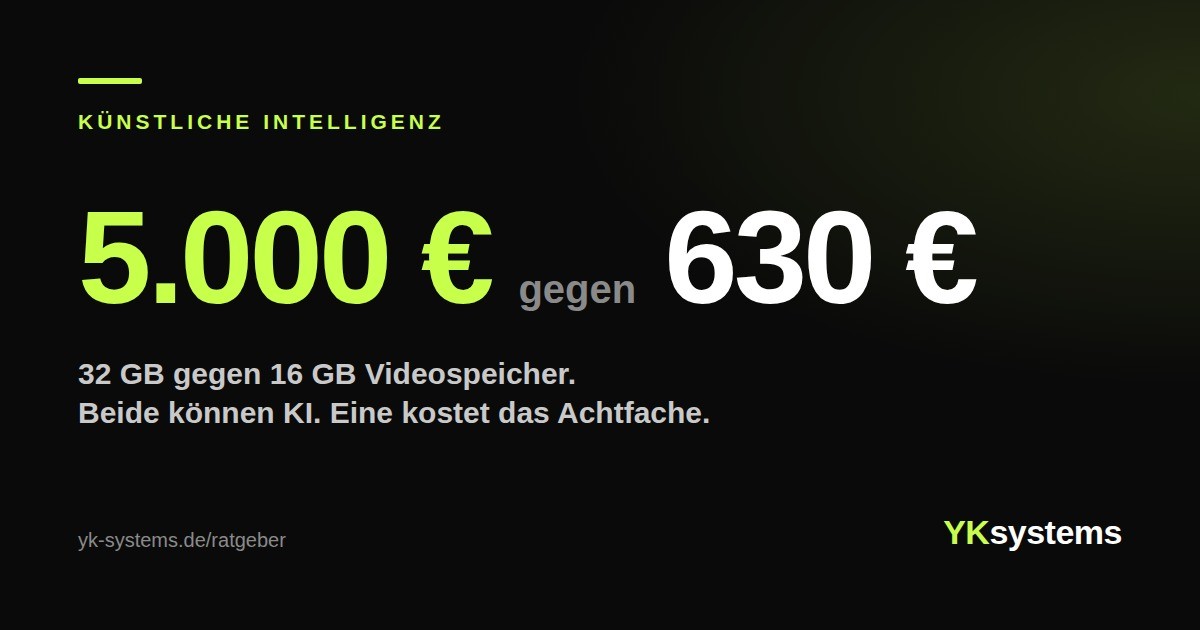
A graphics card with 32 GB of video memory currently costs around 5,000 euros in Germany. One with 16 GB costs 630. Anyone thinking for the first time about running artificial intelligence on their own PC almost always ends up with the expensive card, because everywhere it says you need as much memory as possible.
That is true, but not in the way most people understand it. The difference between the two cards is not the difference between “it works” and “it does not work”. It is the difference between “almost everything” and “really everything”. And “almost everything” is more than most people will ever need.
What runs locally today
Local means: the model sits on your drive and computes on your graphics card. No account, no subscription, no internet connection, no data leaving the house.
Three things now work reliably on normal hardware:
Language models. That is, what most people mean by AI: writing texts, summarising, translating, explaining code, answering questions. The open models are called Llama, Qwen, Gemma, Mistral or gpt-oss. You download them once and they are yours.
Image generation. SDXL and newer models create an image in about forty seconds on a mid-range card. This is the kind of task graphics cards are built for.
Video generation. The newest of the three areas and the only one where memory really gets tight. This is where you notice first if the card is too small.
The only number that counts
Not the clock speed, not the number of compute units, not the processor. Video memory. A model has to fit completely into the graphics card's memory, otherwise it either does not run at all or falls back to main memory and becomes sluggish.
The rule of thumb is simple: the number of parameters in billions times 0.6 gives roughly the memory requirement in gigabytes. So a model with 8 billion parameters needs around 5 GB, one with 27 billion around 16 GB. Add some room for the conversation history. If you want to process long documents, you need noticeably more.
| Video memory | What runs sensibly on it |
|---|---|
| 8 GB | Small language models up to about 3 billion parameters. Good for trying out, too tight for working. |
| 12 GB | Models of the 8B class such as Llama 3.1 or Qwen3. Perfectly sufficient for texts and summaries. |
| 16 GB | The 20B class, SDXL at full resolution, current image models, most video models. The point from which it becomes fun. |
| 24 GB | Gemma 3 with 27 billion parameters, Qwen3 with 32. Large models in mixed operation. Comfortable instead of tight. |
| 32 GB | Everything, including the newest. And the price that leads to the rest of this text. |
The catch almost nobody mentions
We build PCs, and we run the same models ourselves. On a 16 GB card, in a system with 32 GB of RAM. In doing so we noticed something that is not in any buying guide.
The graphics card was never the problem. The RAM was.
When generating a series of images, the first images took 18 seconds. The fourth 22. The seventh 69. Same model, same settings, same resolution. The reason: the software loads models into main memory and does not release it cleanly. As soon as the 32 GB are full, Windows starts swapping, and then the card is no longer computing, it is waiting.
With another model, 111 seconds for the first image turned into 250 seconds for the second.
Remember: a big graphics card in a PC with 16 GB of RAM is money thrown away. For local AI, 32 GB is the lower limit, and 64 GB is the real comfort point. That clashes with memory prices at the moment, but the order is clear: first enough RAM, then a bigger card.
It is not about saving money
You have to be honest here, otherwise the first person to do the maths will be right.
A subscription with one of the big providers costs around 23 euros a month, so 276 euros a year. A PC that handles local AI properly is in the four-figure range at today's prices. Purely in terms of numbers, you would pay the subscription for many years before reaching the purchase price. And during that time the subscription gives you models bigger than anything that fits at home.
Anyone selling local AI with the savings argument is selling you something false. The three real reasons are different:
Your data stays with you. No document, no customer name, no medical record, no draft contract leaves the PC. For anyone working with other people's data, that is not a comfort but a requirement.
No limits and no shutdowns. No messages-per-hour limit, no provider replacing or discontinuing a model without warning. A downloaded model will still work exactly the same in five years.
It runs offline. And the PC can do everything else on the side: gaming, editing, rendering, working. The graphics card does not sit idle when you happen not to need AI.
How to start without buying anything
The best first step costs nothing and takes twenty minutes.
Download LM Studio, a free program for Windows and Mac. When you download a model, it shows you straight away whether it fits on your card. Take a model of the 8B class in Q4 quantisation, which already runs on 12 GB. In the hardware tab, turn the offloading slider up to the graphics card, otherwise the processor joins in and it gets slow.
Then write to it. Not “tell me a joke”, but something from your everyday life: rephrase an email, shorten a text, sort a table. After twenty minutes you know two things no test report can tell you: whether the quality of the answers is enough for you, and whether your card is too small.
That is exactly the moment when the buying decision becomes a real question. Before that it is speculation.
And what about the Mac mini?
The question always comes, and it is justified. Apple does not fit memory separately, but as shared memory for the processor and graphics unit. A Mac mini with 64 GB can use almost all of it for a model. On a PC you would need a graphics card with 64 GB for that, and there is none for private users.
Hence the clear answer: if you only want text and the biggest possible language models, buy a Mac mini. An M5 Pro with 64 GB costs around 2,400 euros and handles models for which no card is enough on a PC. It is also silent and draws 60 to 100 watts instead of 300 to 450.
But there are three things where it loses, and they are not small.
Speed with everything that fits anyway. A model of the 8B class runs on the Mac at 50 to 120 tokens per second, on a desktop graphics card at 130 to 160. With the 70B model, the only one where the Mac stands alone at all, it is 6 to 16. That is the reading speed of a slow narrator.
Images and video. This is the real difference. All the software for image generation, video models and training your own models is built on Nvidia's computing platform. On the Mac, part of it does not run at all and the rest runs many times slower. Where our card needs forty seconds for an image, on the Mac you are talking about minutes.
None of it can be upgraded. The memory is soldered on. You buy the configuration for the entire lifetime of the device. With a PC you swap the graphics card in three years and keep everything else. And the PC plays, edits and works on the side, the Mac mini does not.
In short: the Mac mini is the better text machine. The PC is the better creative machine. If you only want to talk, take the Mac. If you want to create something, there is no way around Nvidia.
What we recommend
If you only want text, 12 GB of video memory and 32 GB of RAM are enough. That is not a special machine, that is a good gaming PC.
If images and video are added, 16 GB of video memory is the sensible entry point and 64 GB of RAM is the difference between 18 and 69 seconds. That is the class we work on ourselves.
If you want to generate video or train your own models, you need 32 GB of video memory, and then you are talking about a card that alone costs as much as a complete good PC. That is a decision you make because you want to, not because you have to. For pure text work it is not worth it, for that the Mac is the better buy.
We build two of them, the entry level with 16 GB and the big machine with 32. And we tell you beforehand which class you really belong in, instead of selling you the most expensive one. Even if the answer is sometimes: take the Mac mini.
Was this helpful?
A PC for local AI?
Tell us which models you want to run. We work out how much video memory you really need.
Ask about an AI PCStill have questions?
Tell us what you have in mind. We reply personally within 24 to 48 hours on working days, without sales pressure.
Ask for adviceNew articles by email
The new guides and our news once a month, in German. As a thank you, you get €25 off your first YKON.